From TECO to Neovim: 50 Years of Text Editing on Unix and Linux
Every so often, something surfaces in the LinuxCommunity.io forums that deserves a wider audience. Generally it is a question, a solved problem, or a quick tip. But occasionally a member shares something that stops you mid-scroll. A post so rich in lived experience that it feels less like a forum reply and more like a piece of computing history written by someone who was actually there.
That is what happened when Brian Masinick joined our ongoing discussion about text editors on Linux. Brian has been working with Unix systems since the early 1980s, before Linux existed. He used TECO at Digital Equipment Corporation, ran Multics Emacs while at General Motors, wrote his own Emacs key binding modes, and contributed to testing on the project that became Tru64 UNIX.
He has hands-on experience across NCR Tower Unix, Altos Xenix, HP-UX, IBM AIX, SunOS, Solaris, and multiple generations of Digital Unix. That is not a resume line. That is five decades of institutional memory about tools most people like me, have only read about.
I have maybe twenty years of Linux experience. Reading Brian’s posts, I am still learning. That is the kind of thing our Linux community exists for, and it is why I asked his permission to bring this here.
The following was written by Brian Masinick, originally posted on LinuxCommunity.io:
Don’t let an editor’s age scare you off
Even though GNU Emacs is perhaps the most complete and diverse integrated development environment around, and though the original GNU Emacs made its first full release way back in 1984, don’t let that dissuade you, any more than using either an old vi or a new Vim or Neovim should dissuade you from using any of them.
The Gritter packaging of the original Vi (now at version 4.0), not all that widely available, but it CAN be found in the LinuxCommunity.io forums, is around the size of Nano but it can do SO much more than Nano, though it’s a more challenging tool to learn (whoever let THAT stop them!).
Emacs, on the other hand, is so much more than JUST a text editor that you can’t even compare it to vi or Vim. Besides, there are key bindings available that allow vi users to use it if they prefer vi bindings.
Where it started: TECO and the MIT AI Lab
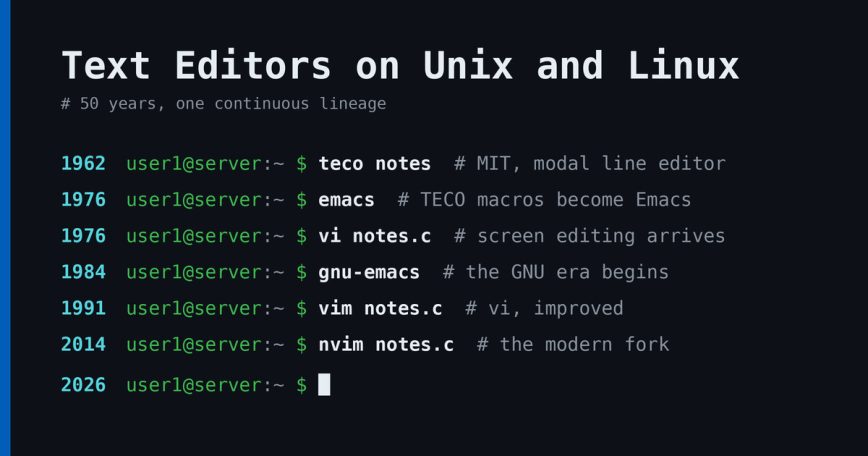
Today my interests brought me back to an article I likely used in some of my graduate computer research. Emacs development began during the 1970s at the MIT AI Lab, whose PDP-6 and PDP-10 computers used the Incompatible Timesharing System (ITS) operating system that featured a default line editor known as Text Editor and Corrector (TECO). Unlike most modern text editors, TECO used separate modes in which the user would either add text, edit existing text, or display the document. One could not place characters directly into a document by typing them into TECO, but would instead enter a character in the TECO command language telling it to switch to input mode, enter the required characters, during which time the edited text was not displayed on the screen, and finally enter a character to switch the editor back to command mode. This behavior is similar to that of the program ed.
I’ve talked about TECO more than once, and I’m among those who have actually used it!
From Multics Emacs to GNU Emacs
Multics Emacs is an early implementation of the Emacs text editor. It was written in Maclisp by Bernard Greenberg at Honeywell’s Cambridge Information Systems Lab in 1978, as a successor to the original 1976 TECO implementation of Emacs and a precursor of later GNU Emacs.
I used Multics Emacs too, actually BEFORE I ever saw TECO. I didn’t see TECO until LATER when I worked at Digital Equipment Corporation. I used Multics for several months when I was working in an hourly personnel systems support organization. I also did a little bit of COBOL maintenance programming but that didn’t scratch my itch. Though the system wasn’t that fast, Multics and Multics Emacs were quite interesting to me, so when I saw Richard Stallman had implemented GNU Emacs a year or two later, when I joined Digital, that was one of the first things I snagged.
Learning Emacs by building my own key bindings
I really wasn’t that good with the default key bindings found in Emacs and that’s why the handy tools in Emacs were so useful to me. GNU Emacs had (and still has) an EDT mode and I did know EDT, but Digital also had a word processor called WPS and variations of it called WPS Plus, so to learn Emacs better I looked at the EDT emulation mode and wrote my own WPS mode based on the EDT mode. That helped me get better at writing Emacs Lisp.
Later I used the 12 and 24 function key terminals at Digital and wrote key bindings for several of the keys, turning GNU Emacs into an EASY tool for several people in my group. I also wrote a few tutorials on getting started with our organization and of course that included how to obtain and use those handy Emacs key bindings!
I have a copy of those in my collection of notes that I keep in my archives.
Modern Emacs: Spacemacs, Doom, and easier bindings
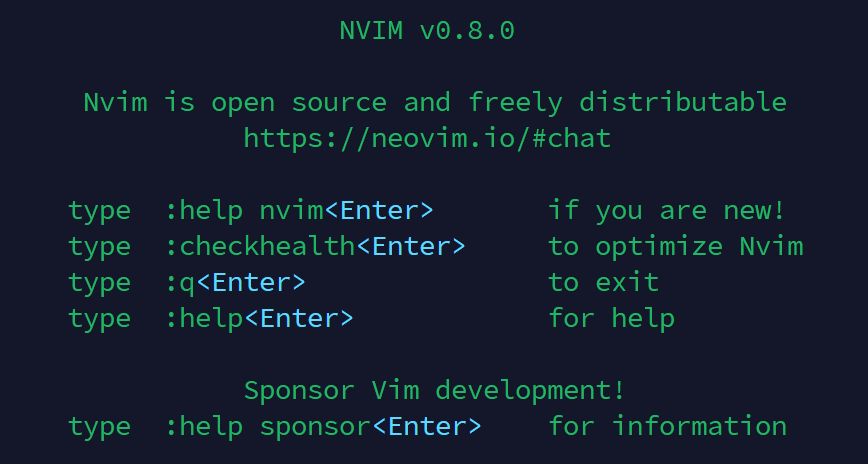
Alas, most of my current laptops don’t use the function keys very efficiently, but I still have a few handy bindings, at least for some quick Vim/Neovim and optional Emacs bindings. Meanwhile, I’ve found Spacemacs, Doom Emacs, and now “Meow”; each of which have their own distinctive “take” on how to use easy to use bindings that don’t HURT your fingers and arms, and allow you to harness many of the fantastic features of these tools.
Sure, for the “average” individual, some of this stuff is so “far over the top” that it simply may not make sense for everyone, but for those who see the value of a truly advanced, genuinely INTEGRATED development environment, and you either want to leverage some of the work that people have done, perhaps remapping, altering, extending, or making your very own variation at some time, then all of this stuff suddenly makes a GREAT DEAL of sense indeed!
My first look at vi, ed, and the C course
The Craft of Text Editing: Emacs for the Modern World, by Craig A. Finseth, has a lot to say about some of the original groundbreaking text editors. The book was written in 1991, but some of the really great foundational text editors were written in the 1970s, right around the time when I was still pursuing my undergraduate degree in computer science. I didn’t actually get my hands on any of the really good stuff until late 1982, but in 1983-84 I got to take a few classes, including an introductory course about Unix followed by a course in C.
It was in the first course in C that I got my first look into vi. During the class I started doing some of the exercises using the command-based ed editor. It gets the job done, but it’s not that great unless you’re a master of substitution exercises, such as what you’d learn or know with sed (or if you get advanced, Awk, Gawk, or Perl). I can use all of them to some degree, though to this day I’m not what I’d call an expert, so as you might expect, ed was not a very efficient way for me to work. Fortunately someone there showed me vi, and just enough vi commands, such as i to insert, Esc to return to edit mode, and a few others. It didn’t take me long to learn more. That was way better than ed for me!
Into the Unix world, before Linux existed
Given that I’d seen what something like Emacs could do, needless to say, that interested me, and when I found some systems more capable of actually using these tools, that set me in motion in the Unix world, all half a decade before Linux came into being. Better still, as I was using Unix in a company of engineers known for finding and using handy tools, we had what we called a “Contrib” area where engineers would either install or submit requests to have handy tools installed. Guess what often ended up on “Contrib”? You may have guessed: GNU tools, including GNU Emacs, a GNU version of tar, and plenty of other GNU tools.
By the time Linux came into being, I already was well experienced in most of the common GNU tools and I was certainly conversational in the use of multiple vendor implementations of Unix: NCR Tower Unix, Altos Xenix, HP-UX, IBM AIX, SunOS, Sun Solaris, Digital Ultrix and Digital UNIX. By the time DEC added 64-bit UNIX I was working on that team, a project that became Tru64 UNIX. I left shortly after it came out and brought my expertise in testing into the financial services industry.
Anyway, put all of that together and that’s why I spend so much time, often in a historical context, examining the tools we have today, but especially those that still exist that have a long, productive history of use!
-END
Conclusion
I’d like to thank Brian for agreeing to let us share his post here. I did reach out to him about a week ago and hinted that I would love to share more of the experiences, advice, and stories of our community members. It is a privilege to have this kind of depth in the community, and Brian is a good example of why the forums at LinuxCommunity.io are worth spending time in. There are members there who have seen computing history firsthand, and they are sharing, and still learning alongside the rest of us.
What about you? Whether you started with nano last year or ed in 1983, your journey with text editors is part of this story too. Join the discussion in the forum and share which tools shaped how you work. We would love to hear it.
Also read our article covering 50 Linux text editors. If you are newer to the command line, see boosting your command line productivity is worth a read alongside it.


Thanks for editing my writing and turning into an attractive article. For those of you who just aren’t quite ready for a deep excursion into GNU Emacs, Doom Emacs or even a fancy version of Neovim, I’m around and I’ve found some simple improvements (or changes that I personally considered improvements to efficient, light, simple text editors like Nano and Micro). If that’s your speed, a few of us around here can help you out and assuming I “show up” on any given day, I’d be more than happy to endorse whatever you’re using or discuss trying out a few other options.
GNU Emacs, Doom Emacs and Neovim aren’t the right choices for everyone, though all of them are excellent tools. Recently I was chatting in the forum and PyCharm was mentioned. That’s a very handy tool to use if you are deeply involved in Python coding. If that’s you, it might be perfect in those scenarios, but as big as Emacs is, running PyCharm, unless you really need it to help you with intricate details in Python code, is like asking an 18 or 19 year old Great Dane (that’s if they actually LIVE that long) to go out on a track and run a five mile race around a track! It probably won’t go very well.
That brings us to editors: the right thing to do is to find an editor that helps you get your stuff done. A Text Pad like we’re using here may be good enough to write here. Nano is good enough to write short scripts or make small changes in configuration files, and maybe even to write a small article. Anything else and it may not be the right tool, except for one thing: it is efficient, doesn’t use a lot of resources, so it can work on a system that is gasping for breath, but still works.
Micro is like that too; it’s pretty small and reasonably fast; it can be extended if you have knowledge; otherwise the name tells you enough: like Nano it can handle micro, that is, small editing tasks. Yes, it can be used all the time, but if you are editing 2,000-3,000 lines of code, it’s probably NOT the right tool for you.
That’s why we have SO MANY text editors and a lot of integrated development environments out there; they all do the job, but certain ones are ideal for a particular set of tasks and a few are really good general purpose tools worth learning, using and becoming really proficient; when you find the right one, sometimes there is no need to look any further - unless user interfaces and usability studies are of interest - which they have been for me throughout my professional career and into retirement.
One other quicky I remember about Vi and Emacs: one day I was working with some really big files, can’t remember if it was “Content Management” or something else, but it was at one of my financial organization assignments.
I think it was an implementation of Vi I was using, but I finally found a file TOO BIG to work with whatever editor I was running, so i thought to myself: great! What am I going to do now? I thought that I’d read something about GNU Emacs being smart enough to use a stack, swap, or some type of data structure capable of releasing some parts of a file, yet recovering if you needed to go back to it, so if I remembered correctly, I tried it with Emacs - yup, it took a while when I deliberately tried to jump from the front to the back of the file, but it definitely DID work, so there is at least one use case where Emacs is one of the best, if not the only, appropriate choice if you have to edit something really massive.
I know another way: you can use them: split, join, or — the famous “cat”, which is capable of concatenating multiple files together!
So just as their is more than one way to “skin a cat”, there is more than one way to solve a large file issue and there is more than one way to edit a file. Learn more than one set of tools and you’ll ultimately be more effective; find the right balance between spending too much or too little time doing this and you’ll get to the right place for whatever jobs you must do, and do them well.
Tip: https://unix.stackexchange.com/questions/24630/whats-the-best-way-to-join-files-again-after-splitting-them
That’s a memory I don’t expect to read today…
The first text editor I learned was actually TECO, back in the time-sharing days where you got to select if you booked a terminal (screen) or teleprinter (computer responses were printed on paper; meaning you got to go home with a record of everything you did; or had something to hand if the session was part of a test in an education environment, or needed something to be attached to a submission/report as ‘proof’).
I think, no I know, more about
 than much of what you guys talk about sometimes. Haha
I concur. I’ve tried a few other editors but for the quick/small jobs I’ve settled on micro. (FYI: I just don’t like nano; it’s mappings just seem weird. I’d rather use vi than nano cause my fingers still remember how. )
)
@guiverc so you enjoy "working with line noise too eh?