Watching Cloudflare Data Center Locations in real-time
Over the last couple of months I’ve had performance issues with Cloudflare (CF) about 2 times, including today. That’s a sentence I never thought I’d write, because Cloudflare genuinely doesn’t have performance issues most of the time, and when they do, it’s usually on the status page as part of a larger issue.
This one wasn’t.
The problem: certain requests through the MIA (Miami) colo (Cloudflare edge data center or colocation) were slow on my zones, sometimes 2 seconds, occasionally 5+ seconds. Cached HITs were fine. Uncached DYNAMIC requests were where it showed up. So I switch over to a NY-routed VPN and everything was fast again. Switch back to MIA and it’s slow! The same origin server and the same Cloudflare account. Meanwhile some of my clients zones hosted in the same data center were unaffected; but they are all running Cloudflare Argo.
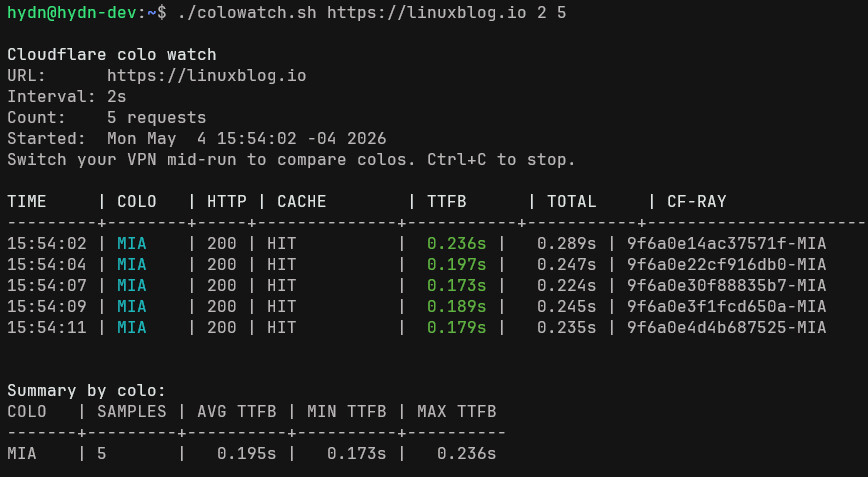
It took me a while to confirm it to myself. Enabling Argo Smart Routing made the problem disappear instantly. Disable it, and the slowness was back. So at least I had a workaround. However, Argo is outside my budget, the cost adds up fast.
The hardest part of opening a Cloudflare support ticket for this kind of issue is proving the issue itself. MTRs show the network is fine. Manual curl tests show one or two slow requests but the output text was to large to send like 10 or 20 successive. What I actually needed was something that runs continuously, shows the colo on every request, and lets me flip my VPN mid-test so CF support can see the timing change in one continuous log.
But I didn’t have that, yet. So in the chat support window I uploaded these:
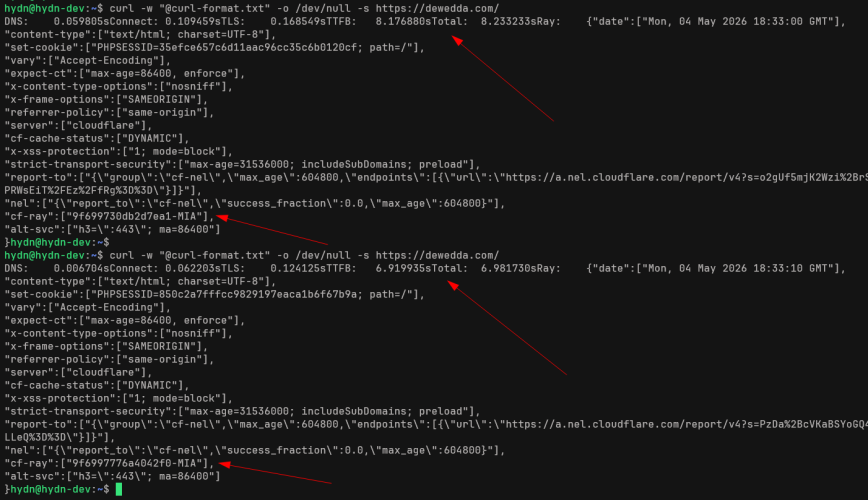
2 tests via Miami (MIA):
2 tests via New York (EWR):
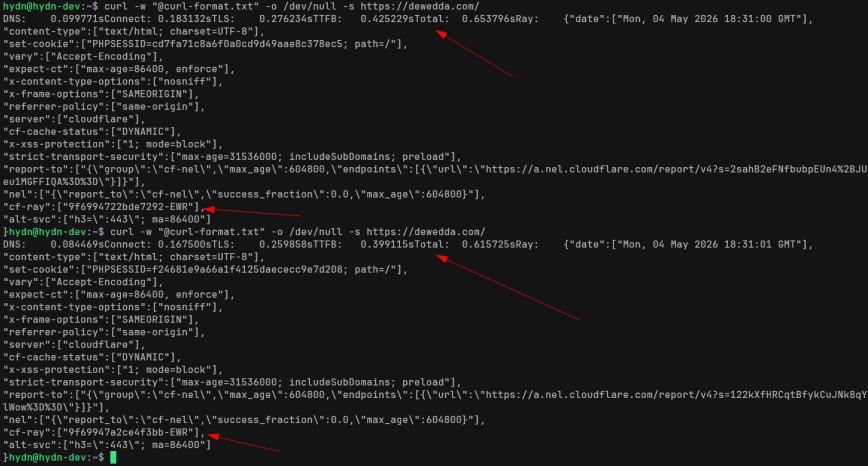
Yeah, so that was my on-the-fly first attempt at showing Cloudflare what I was seeing lol. Two curl runs against EWR (fast, ~400ms) and two against MIA (slow, 6.9s and 8.2s). The data was there, but it was buried in a wall of headers, JSON-escaped report-to URLs, and cookies, with the actual numbers I cared about (TTFB, total, colo) scattered across each block. Plus, only two samples per colo also isn’t enough to demonstrate a pattern.
To make a case that the problem is consistent and tied to a specific colo, I needed something that ran continuously, stripped the noise, and let me switch VPN locations mid-test so the colo change and timing change appeared in the same continuous log. That’s what pushed me to write this script:
Repo: github.com/haydenjames/cf-colo-watcher
A small bash script that hits a URL on an interval, prints one line per request showing the colo, cache status, TTFB, total time, and CF-Ray ID, and gives you a per-colo summary on exit. I would run it, switch my VPN halfway through, and the difference between a healthy colo and a problem colo is right there in the output. Right?! Well yes, but like with most things in life, by the time I was ready to use this, the issue was resolved. Arrg! Browser page loads in both mobile and PC were fast again, no hangs like it was for almost an hour for uncached requests:
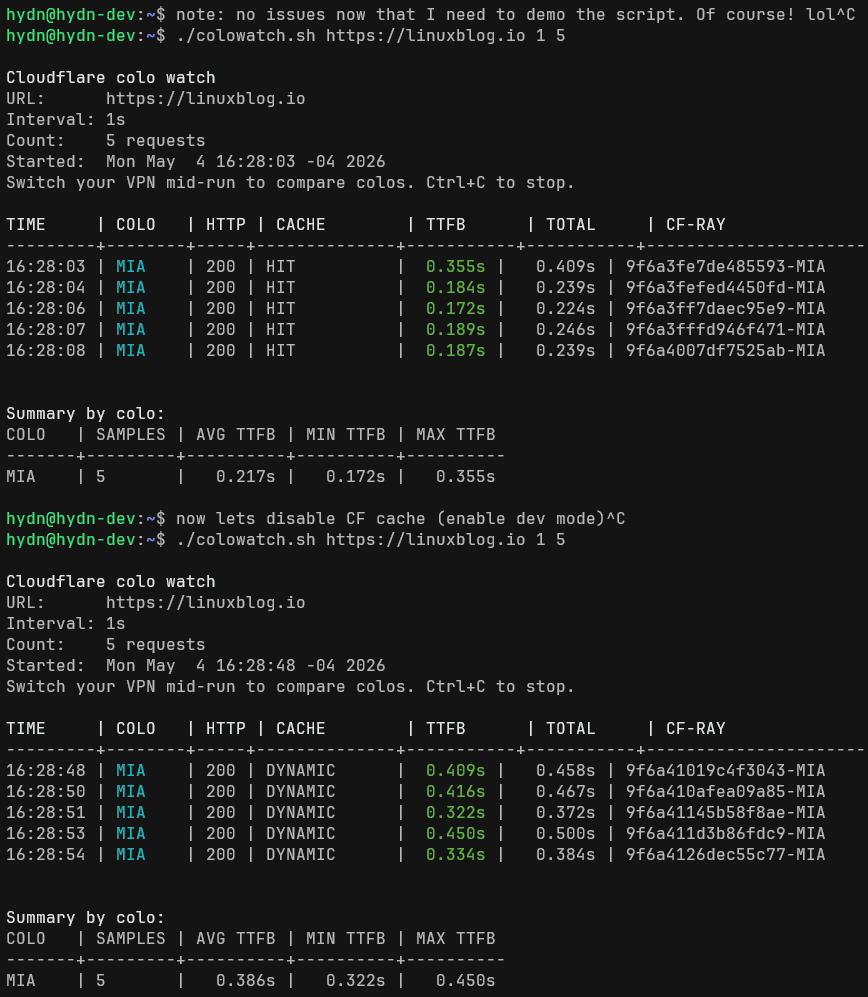
Of course, now that I can capture cleanly, everything is working fast again! lol
Anyway, I figured if I needed it, someone else probably does too. Cloudflare doesn’t have many performance issues, but in the rare cases they do, or even if you just want to trace some ray IDs or watch how your traffic is being routed, this should be useful.
Repo: github.com/haydenjames/cf-colo-watcher | Example: Longer test run