After 20 Years of Linux Desktop, I Learned Cadence Matching
After twenty years on the Linux desktop, more than a dozen distros, multiple desktop environments, a seven-year tiling window manager phase, and one detour through whatever I thought of as the stable answer at the time, I’m finally in a noticeably more comfortable place than ever before.
The setup I’ve landed on now is Kali Linux without pentest meta-packages, paired with XFCE as the desktop, and a workflow that’s mostly fast workspace-switching with the rare 50/50 window split when I need it. No tiling WM. No bleeding-edge desktop.
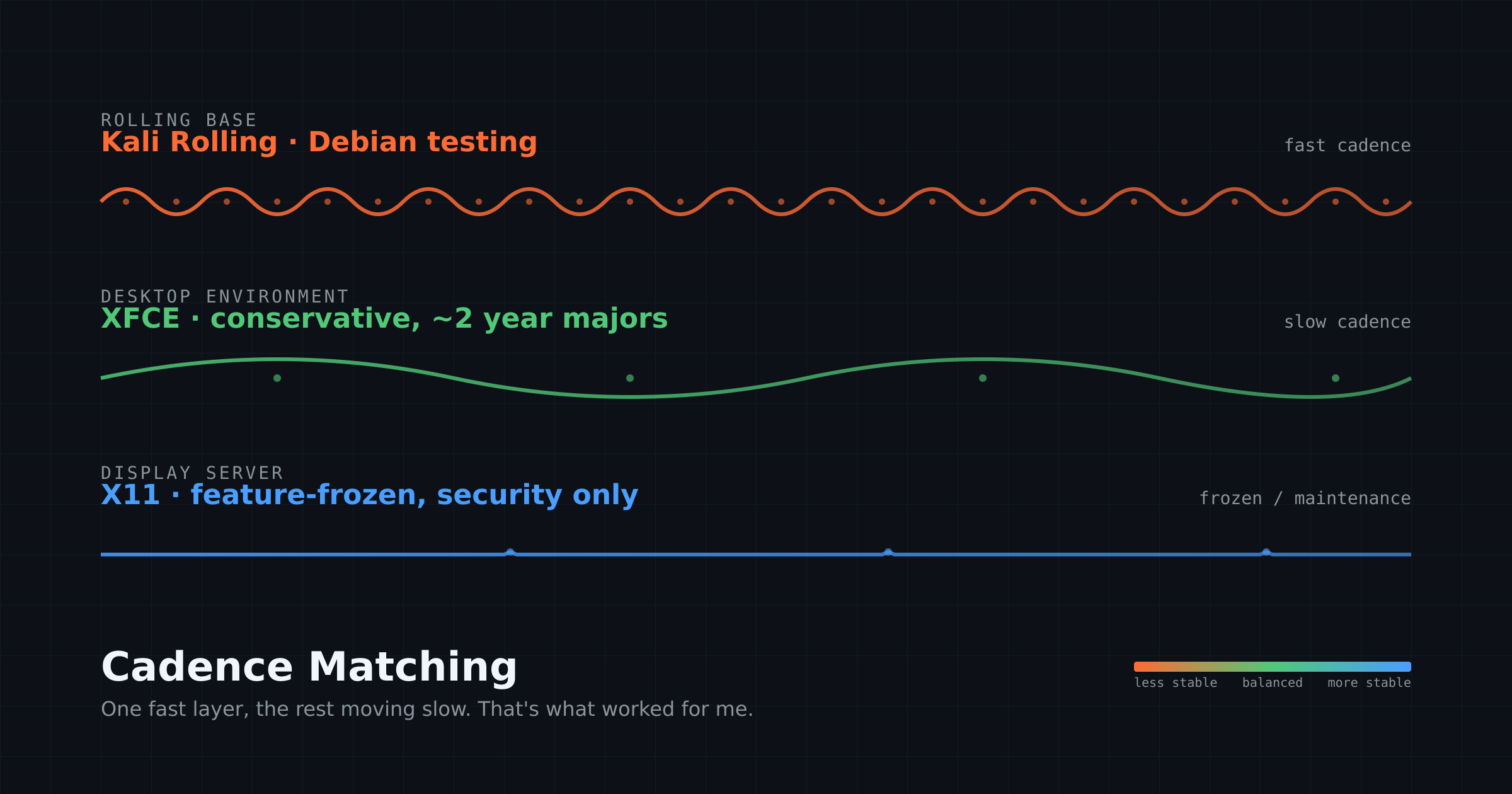
Here’s what I’ve figured out: the right pairing isn’t “rolling distro plus the latest everything else.” It’s a rolling base with a slowly developed desktop on top, where the cadences of the layers actually match. That’s the TL;DR. The rest of this post is how I got there, and what each wrong turn taught me.
Quick context before Phase 1, because it matters. I didn’t come to Linux through the desktop. I came to it through servers in the late 1990s, when I had a high-traffic site running on Windows Server with IIS and PHP that was buckling under load. Linux on the same hardware handled four to ten times the traffic without needing an upgrade.
That was my introduction, and I spent the next five or six years deep in stack optimization: Apache, lighttpd, eAccelerator, XCache, APC, MySQL tuning, and eventually Litespeed and Nginx. So by 2006, when I installed Ubuntu on desktop, I already knew Linux at the server level. The question wasn’t whether Linux could do the job. The question was whether it could be a daily desktop.
DISCLAIMER: This Is My Story, NOT a Prescription
This is what worked for me. What works for you will likely differ.
Put five Linux users with twenty years of experience each in a room and you’ll get five different favorite combinations of Linux distro, desktop environment, window manager, and display server, and all five will be defensible. Our forums make that obvious every week. People who love GNOME on Fedora are not wrong. People running KDE Plasma on openSUSE Tumbleweed are not wrong. People living happily in Mint, Pop_OS!, Void, antiX, or vanilla Debian are not wrong. Their checklists are different from mine, and their checklists are correct for them.
What this article is actually about is the thought process of arriving somewhere, not the destination. The destination is mine. The process is what I think transfers. And even calling it a destination is probably overconfident.
Ask me again in five or ten years and I might have a different answer, because the ecosystem will have moved, my needs will have moved, and the cadence-matching argument I’m about to make may apply differently for reasons that don’t exist yet. This article is a snapshot of where two decades of testing have put me right now. It is not a final answer. There probably isn’t a final answer.
That said, if your preferences happen to line up with mine, this article might save you years of testing. That’s the second reason it exists. The first is just to tell the story. So consider this both my story and an open invitation: where did your Linux journey start, where has it taken you, and where do you think it’s heading? Drop your story in the comments. I’d love to read and learn from them.
Phase 1: The Exploration Years (2006-2010ish)
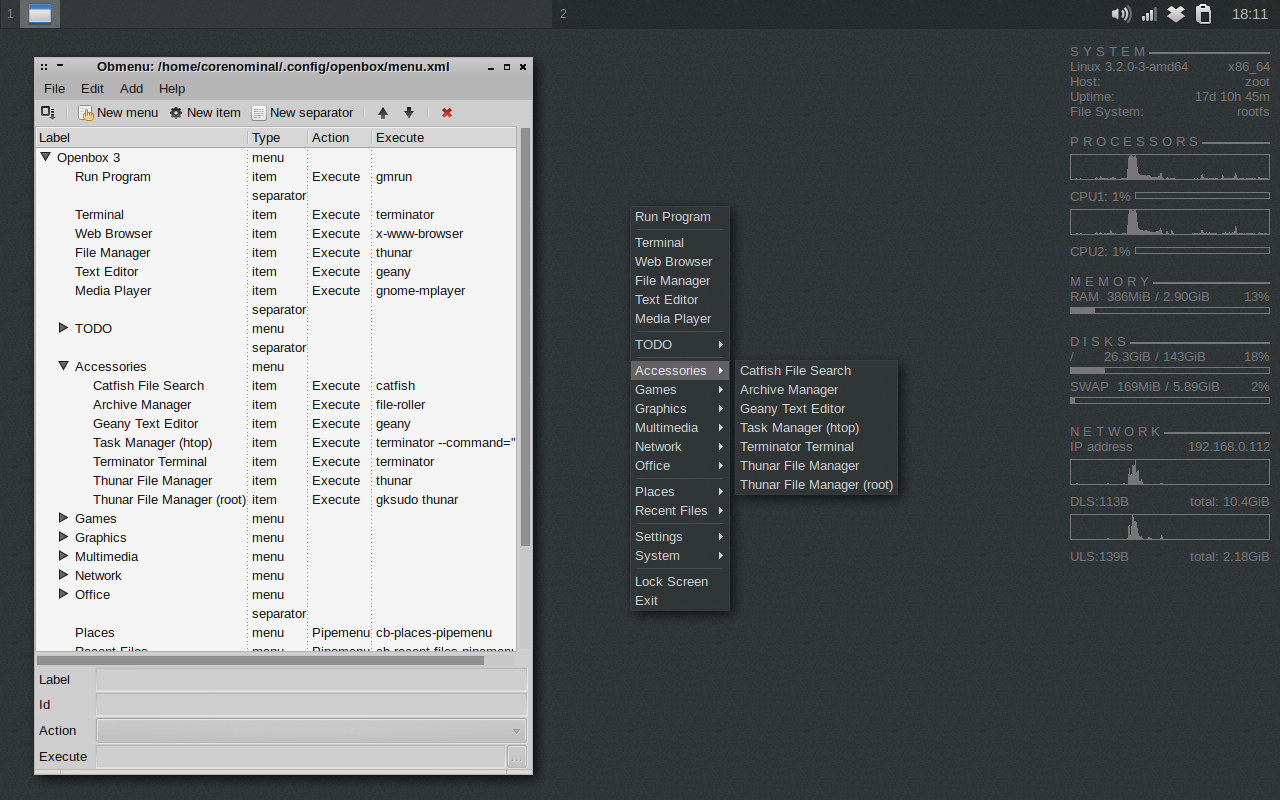
The legend lives on via: crunchbangplusplus.org.
Distros from this era: Ubuntu 6.06 onward, Mint 5/6, Kubuntu, Debian 5/6 and Crunchbang.
So I knew what Linux was. What I didn’t know was what a Linux desktop should feel like, whether I wanted GNOME 2 or KDE 3 or something lighter. Or, how the desktop layer changed the experience of an operating system I already trusted at the server level.
Ubuntu was the obvious starting point for me because it was the obvious starting point for everyone. But then Mint felt friendlier. Kubuntu was a brief detour, long enough to know I didn’t want KDE for the long haul. Debian on desktop reinforced what I already loved about Debian on servers; stability.
Crunchbang is the one that mattered. Openbox on Debian stable, no bloat, fast on hardware that other distros made feel old. I used it for a year or more and it felt almost like the Arch experience I’d later fall in love with, just without the rolling part. It was my first taste of the formula I’d eventually rediscover the long way around: lightweight desktop on a solid base, with no fancy customization layer trying to convince you it was a real desktop environment.
Crunchbang wasn’t rolling though, and that turned out to matter. When updates required a reinstall to move forward cleanly, the friction added up. Philip Newborough eventually discontinued the project in 2015, and his reason was telling: Debian itself had gotten good enough that Crunchbang’s customizations weren’t adding enough value to justify maintaining a separate distro.
He was right, and in hindsight that exit point was telling me something I wouldn’t fully understand for another decade. The value isn’t in the customization layer. It’s in the base. Customization layers age, get abandoned, or break at the seams. Solid bases stay solid.
Back then I often ran two or three different distros simultaneously across laptops and desktops, still figuring out what I liked and didn’t. That was normal for the exploration phase. The lesson I took from it: I cared about responsiveness and minimal bloat. I didn’t yet know that meant anything specific about how to choose a distro.
Phase 2: The Stability Detour (Debian 8/9, Ubuntu LTS)
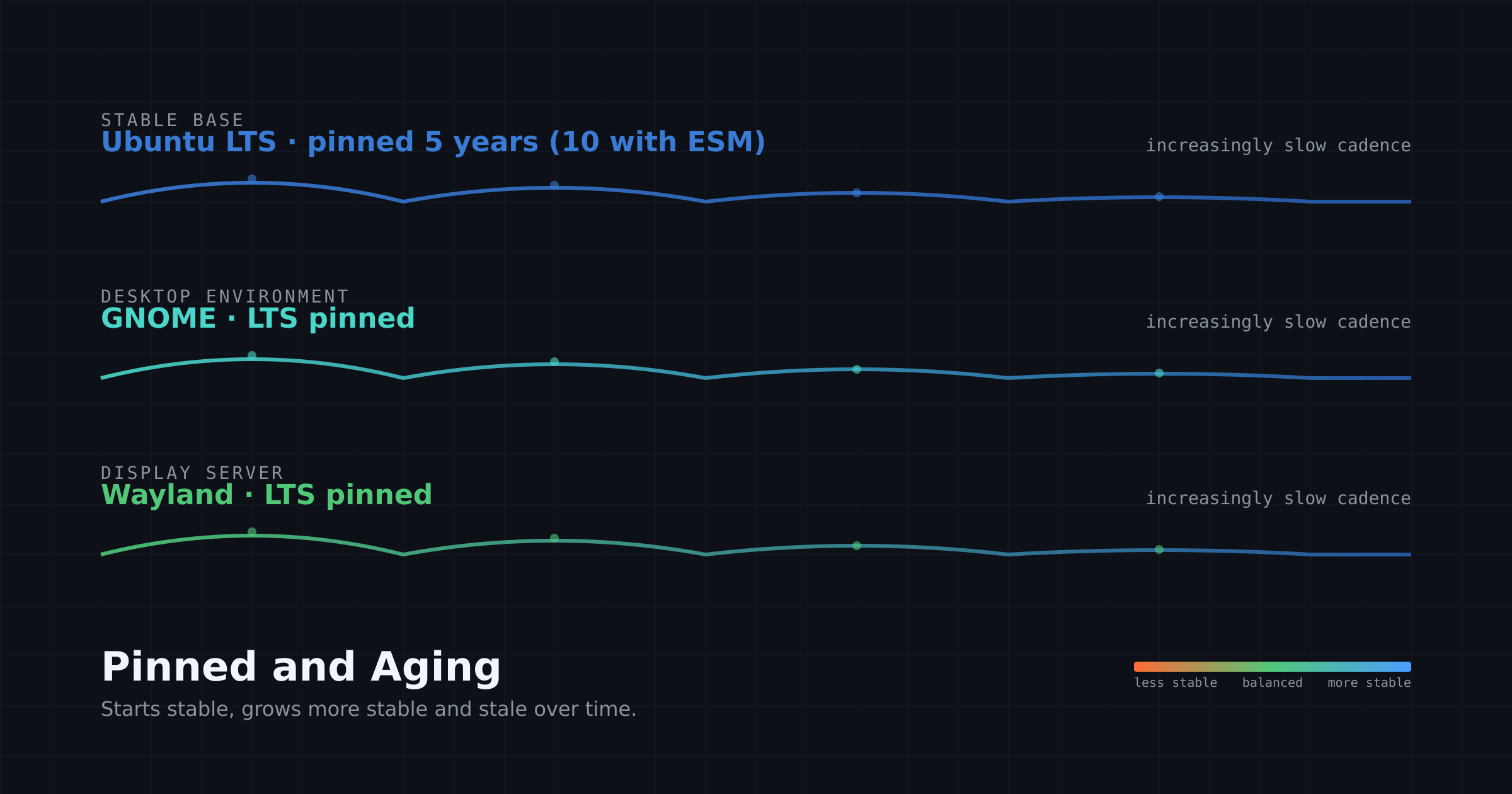
Stability first? Try Debian, Ubuntu, Mint, etc. with slow cadence DE or WM and X11 or Wayland.
Distros from this era: Debian 8/9, Ubuntu LTS releases.
The pitch was rock-solid, set-and-forget, years of support. Debian stable for production servers while Ubuntu LTS gave you five years of support.
I can’t even remember a specific moment when stale packages bit me. There was no failure, no breakage, no crisis. Just the slow accumulation of friction. The packages were a couple of versions behind. Development tools were old enough that I was working around that. Some piece of software I wanted didn’t exist for my repos and the backport was a hassle. None of it was a dealbreaker on its own. All of it together meant I was working around my own operating system.
That’s the thing about the stability detour. It doesn’t fail dramatically. It just gradually feels older until one day you realize you’ve spent more energy fighting the age of your software than you’ve saved by avoiding upgrade-related breakage.
Lesson learned: stability is real, but the cost of running old software daily is also real, and for a system you log into every day it mattered more than I expected.
Phase 3: The Bleeding-Edge Overcorrection (Arch, Fedora, SID)
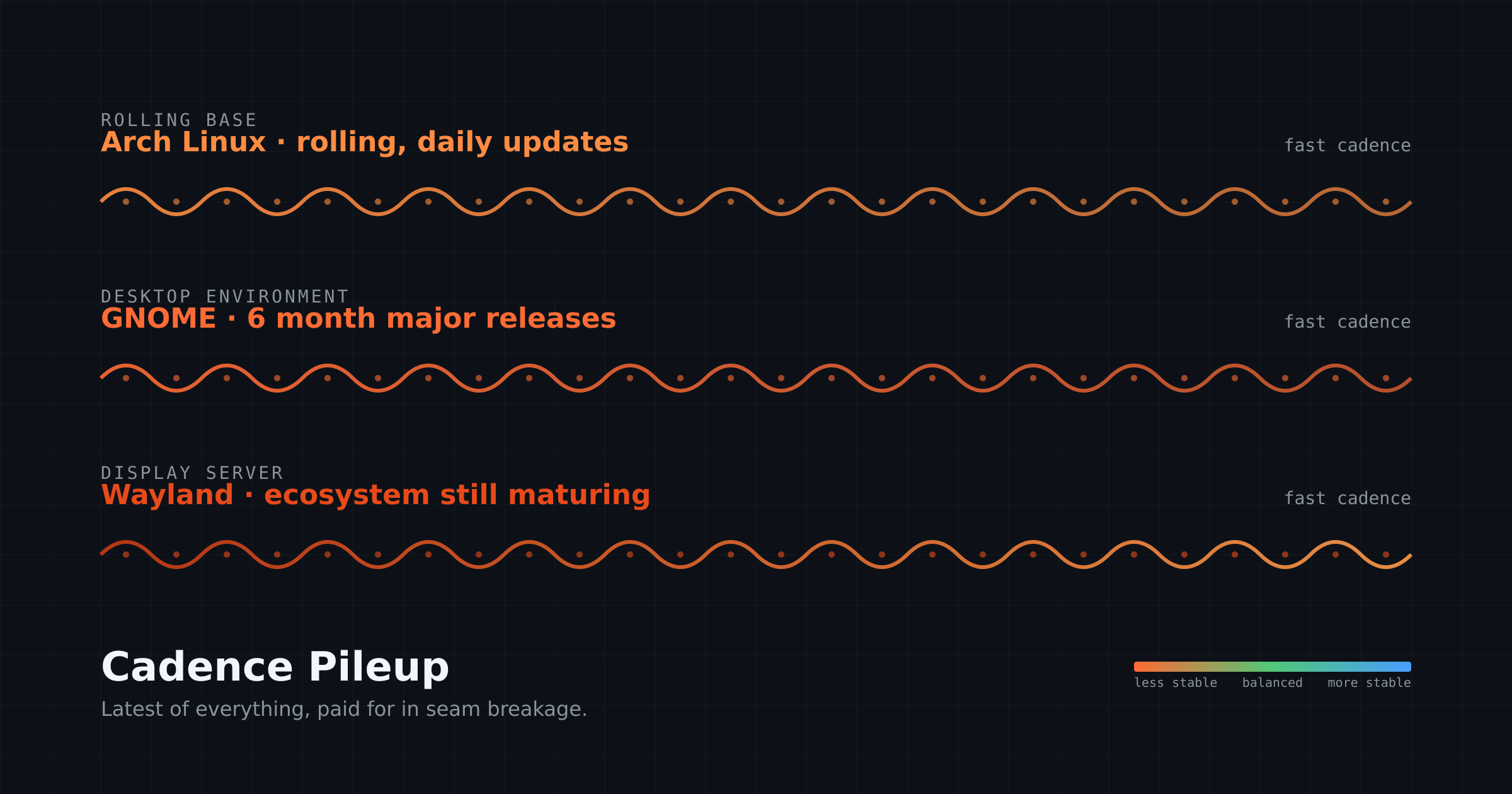
Like being on the bleeding edge.
So, like any other reasonable human being would, I swung over to the other extreme. If old software was the problem, fresh software was the answer!
Arch is the phase I stayed in the longest. More than five solid years. I loved Arch! I tweaked it to my heart’s content, kept careful dotfiles, learned the AUR, read the news file religiously before every pacman -Syu, and built exactly the system I thought I wanted.
It was the best feeling ever!… right up until you had to do it again on the next machine. The customization itself became the thing I owned, not the system. And even with dotfiles in version control, restoring that experience on new hardware was time-consuming enough that I started to resent it.
Five years of Arch taught me what a great rolling distro can be, and also taught me that being able to “customize everything from scratch” eventually becomes its own kind of maintenance burden.
Fedora was the most instructive failure of the phase. Fedora isn’t rolling. It’s a point-release distro with a six-month cadence, and those releases involve real upgrade work. So I was doing a meaningful upgrade twice a year, and each one had its own personality and potential for surprise. For me personally, that was the worst of both worlds: frequent enough to disrupt, infrequent enough to require real attention each time.
A genuinely rolling distro is actually less disruptive than a fast point-release, because the disruption is spread thin instead of bunched up. Fedora taught me that “fresh” isn’t the variable that matters. Cadence is.
I never managed to keep a stable Manjaro install for very long. I tried it because it was supposed to be Arch without being as time-consuming. But instead, it was Arch’s update frequency without Arch’s discipline.
Lesson learned: rolling is the right answer, but “rolling” alone isn’t enough. The desktop matters too, and not in the way I assumed.
Phase 4: Tiling (Manjaro+i3, Ubuntu 20.04 + Pop Shell, Kali-i3)
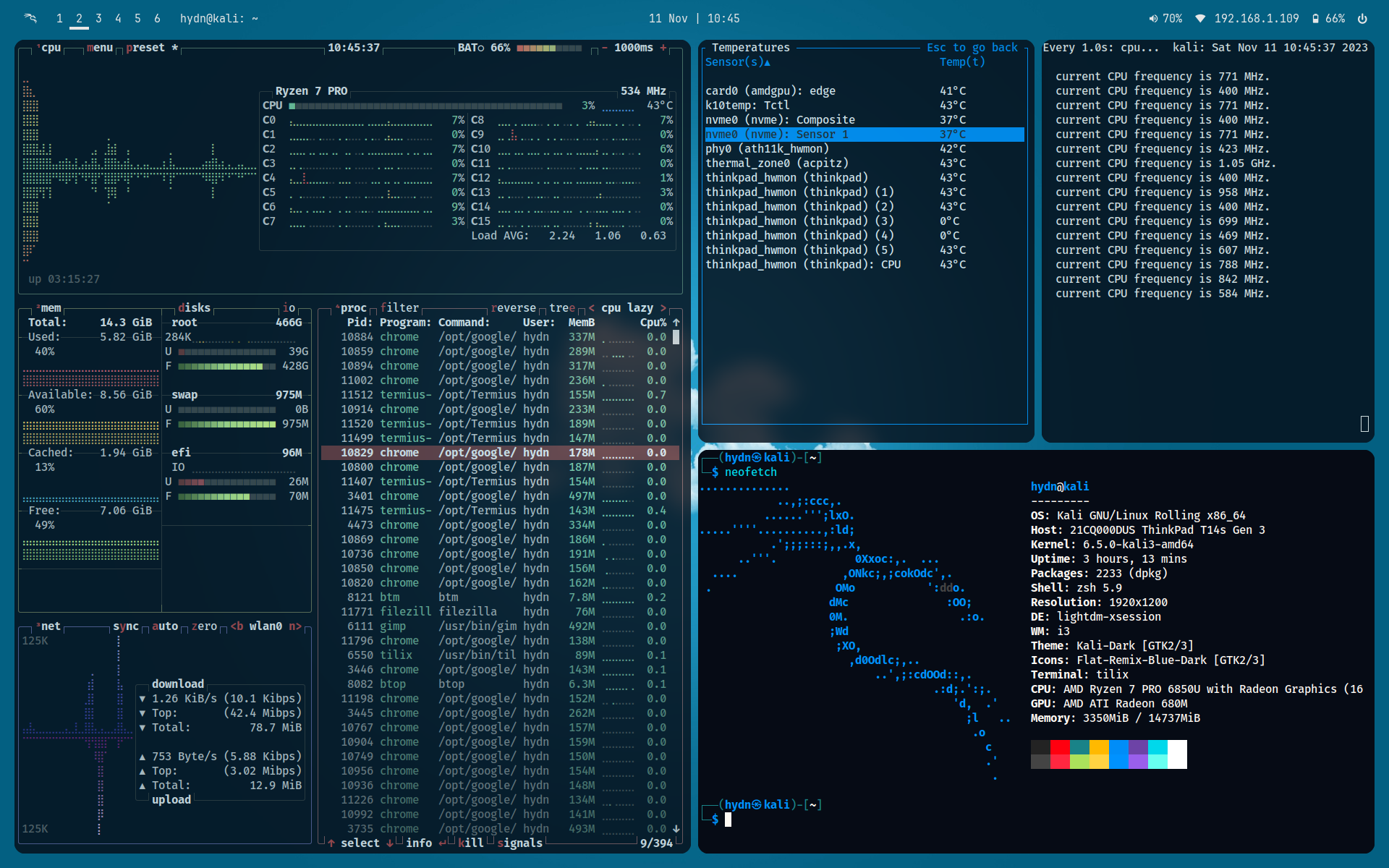
This phase ran for about seven years across multiple distros. i3 became the constant; the distros underneath rotated. I tried Sway briefly but kept coming back to i3.
The pitch I bought into was that tiling window managers are how power users work. There’s a whole subculture around it, with dotfiles repositories and screenshot threads and the general implication that if you’re still using a stacking window manager you haven’t really committed to Linux yet.
I wrote an article around this time titled we need more tiling-friendly Linux desktops, arguing that tiling should be more accessible to mainstream users.
The setup tax was real. i3 took hours to configure right, and the configuration was never really done. There was always one more keybinding to add, one more rule for floating windows, one more workaround for an application that didn’t tile cleanly. The configuration itself became a hobby that displaced the work the system was supposed to enable.
Pop Shell was the compromise. Tiling on Ubuntu LTS without the full i3 commitment, just a GNOME extension that gave you keyboard-driven window management with sane defaults. It was supposed to be the best of both worlds: stable Ubuntu base, modern tiling on top.
Pop Shell didn’t stick. The Ubuntu LTS base barely moved so I ended up with a slow base underneath. The realization that broke this happened over months. I started noticing that my actual workflow wasn’t tiling. I’d configured nine workspaces, used seven or eight every day, and almost always had one full-screen app per workspace.
I’d hit super+1 through super+9 to switch between them. The only time I actually tiled was when two windows had something to do with each other: comparing configs, reading documentation while typing commands, or following a tutorial alongside a terminal. That was maybe ten percent of my use. The rest of the time, tiling was solving a problem I didn’t have.
So I wrote a follow-up. The earlier article had it wrong! It wasn’t tiling I needed more of. It was fast workspace switching! Tiling window managers just happen to ship that as a default, which is why I’d associated the two for years. What Linux actually needs is for full desktop environments to make fast workspace switching a default behavior, not a power-user setting buried under menus. XFCE already does this well. Most other desktops don’t, and they should.
Once I saw the workflow clearly, the choice of tools changed. XFCE does workspace switching and 50/50 splits with keyboard shortcuts very easily. No tiling WM needed. No dotfiles repo needed. And on modern hardware I’m not optimizing for a 2 GB netbook anymore.
I want the conveniences a full desktop environment ships with: session management, a unified settings panel, a populated application menu, multi-monitor GUI configuration, integrated power and brightness controls, working media keys, automounting of removable drives, a polkit agent for graphical sudo prompts, notification handling, and consistent theming across GTK apps. All the small infrastructure XFCE provides without making me configure it.
XFCE is the sweet spot for me: a full desktop environment, but slow-moving and lightweight enough that nothing fights the base.
Lesson learned: tiling was the wrong solution to a problem I didn’t have. The thing I actually loved was fast workspace switching, and i3 had been smuggling it in under the tiling label the whole time.
Phase 5: Cadence Matching (Kali + XFCE)
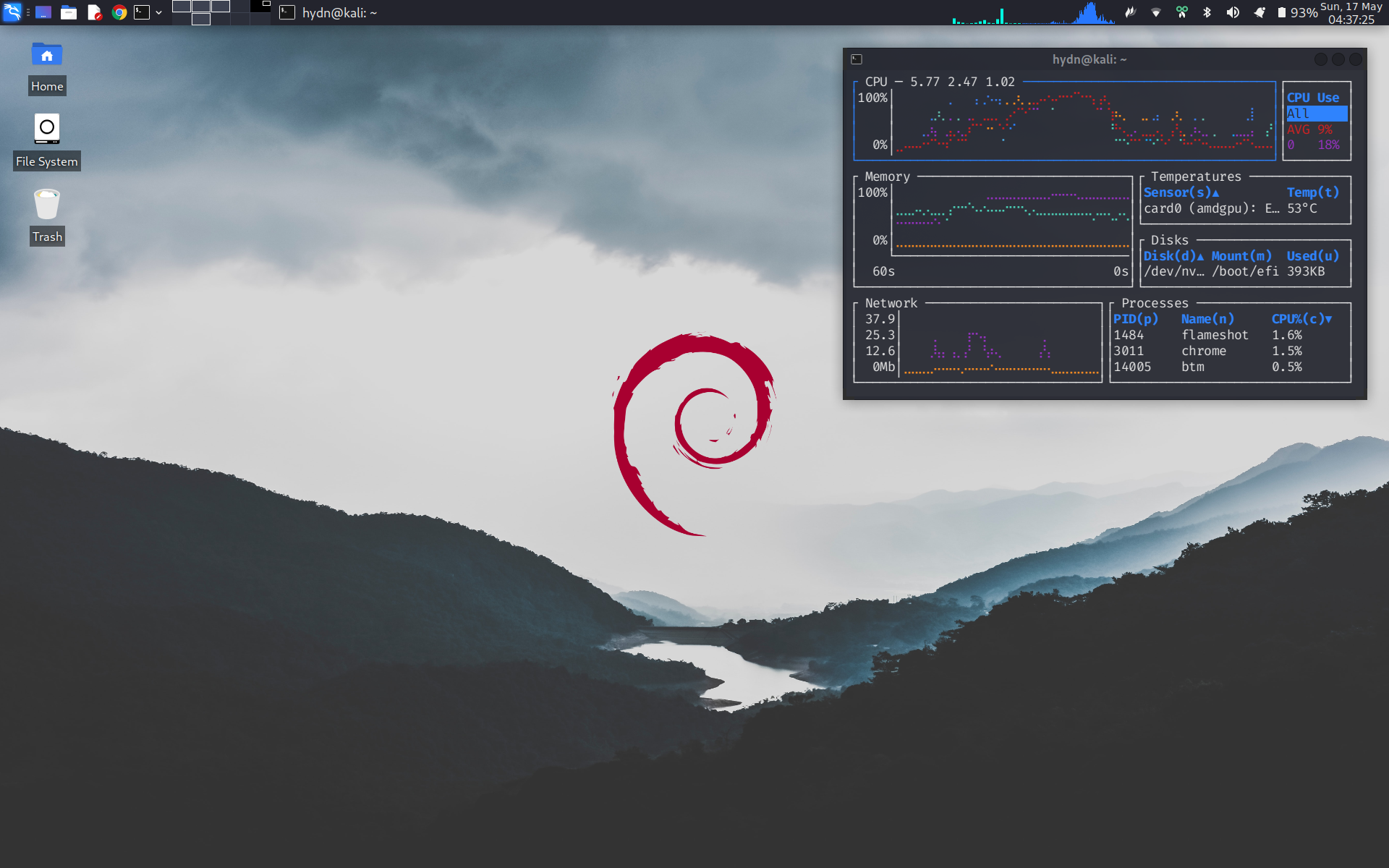
Current setup on the laptop: Kali rolling, stripped of pentest meta-packages, with XFCE as the desktop.
Why Kali Linux?
Why Kali specifically: it’s a rolling release based on Debian testing, but with one thing the other Debian-testing-based distros don’t have. Kali adds an additional validation layer between Debian testing and what reaches most users, with quality checks before packages are promoted. That’s a quality buffer none of Sparky’s rolling edition or Siduction or vanilla Debian testing have. It’s a sysadmin-grade safety net on top of a rolling base.
For me, Kali is also where I fell back in love with the rolling-distro feeling I’d had on Arch, without the configuration burden. Strip Kali of its pentest meta-packages (kali-linux-default, kali-linux-large, etc.) and the Kali-specific theming, and what you have is essentially curated Debian testing with a quality-controlled staging pipeline and a ton of well-packaged sysadmin, networking, and web dev troubleshooting tools available when you want them.
I’ve been a quiet champion of running Kali as a generic daily driver since around 2016. After using it successfully, I wrote about non-root Kali installs in 2017, back when the standard reaction was “you’re crazy, why would you run a pentest distro as your daily?!”
My argument was that the pentest tools are optional, the root-by-default install was unnecessary for normal use, and the underlying Debian base was solid. A couple of years later, Kali changed the default to a non-root install and made the pentest tools easier to avoid in the installer. I can’t claim credit for that, but the project clearly listens to its community, and the result is that running Kali as a clean daily driver is now easier than ever.
Kali now officially supports using it as a daily generic Linux system. It’s no longer a specialty distro you have to wrestle into being a daily driver. It’s just there.
Why XFCE Desktop?
Why XFCE specifically: it’s a slow-moving desktop. The XFCE team doesn’t reinvent the desktop every release. Updates are refinements and bug fixes, not architectural rewrites. There’s no “new paradigm” being shipped to my desktop every six months. There’s no extension API I rely on that breaks when the desktop bumps a version. XFCE is the boring partner that lets the rolling base do the updating without dragging my workflow along.
This is the cadence-matching insight that took me twenty years to articulate. The rolling base updates constantly because that’s what you want from the underlying system: current libraries, current kernel, current toolchain. The desktop updates slowly because that’s what you want from the layer you actually interact with all day: predictability and continuity. The two layers don’t fight because their cadences match what each layer is for.
I’m not saying GNOME or KDE Plasma are bad desktops. GNOME on Fedora is pretty good. GNOME on Ubuntu LTS is great because the desktop version stays pinned along with all the other old distro packages.
The problem is what happens when you pair a fast-moving desktop with a fast-moving rolling base. On Arch and on Kali, the thing that usually broke for me was at the user-experience level, like GNOME or KDE. Not the kernel, not the libraries, not the packages I used for actual work. Always at the desktop layer, because most DEs and WMs aren’t as stable as Arch Linux and other bleeding-edge distros at that update pace.
So now with XFCE, workflow is where you’d expect: workspace-switching over tiling, one app per workspace most of the time, 50/50 splits via keyboard shortcut when two windows are genuinely related, no tiling WM config files, and a desktop I haven’t had to think about.
Phase 6: The Test Case (Rhino Linux)
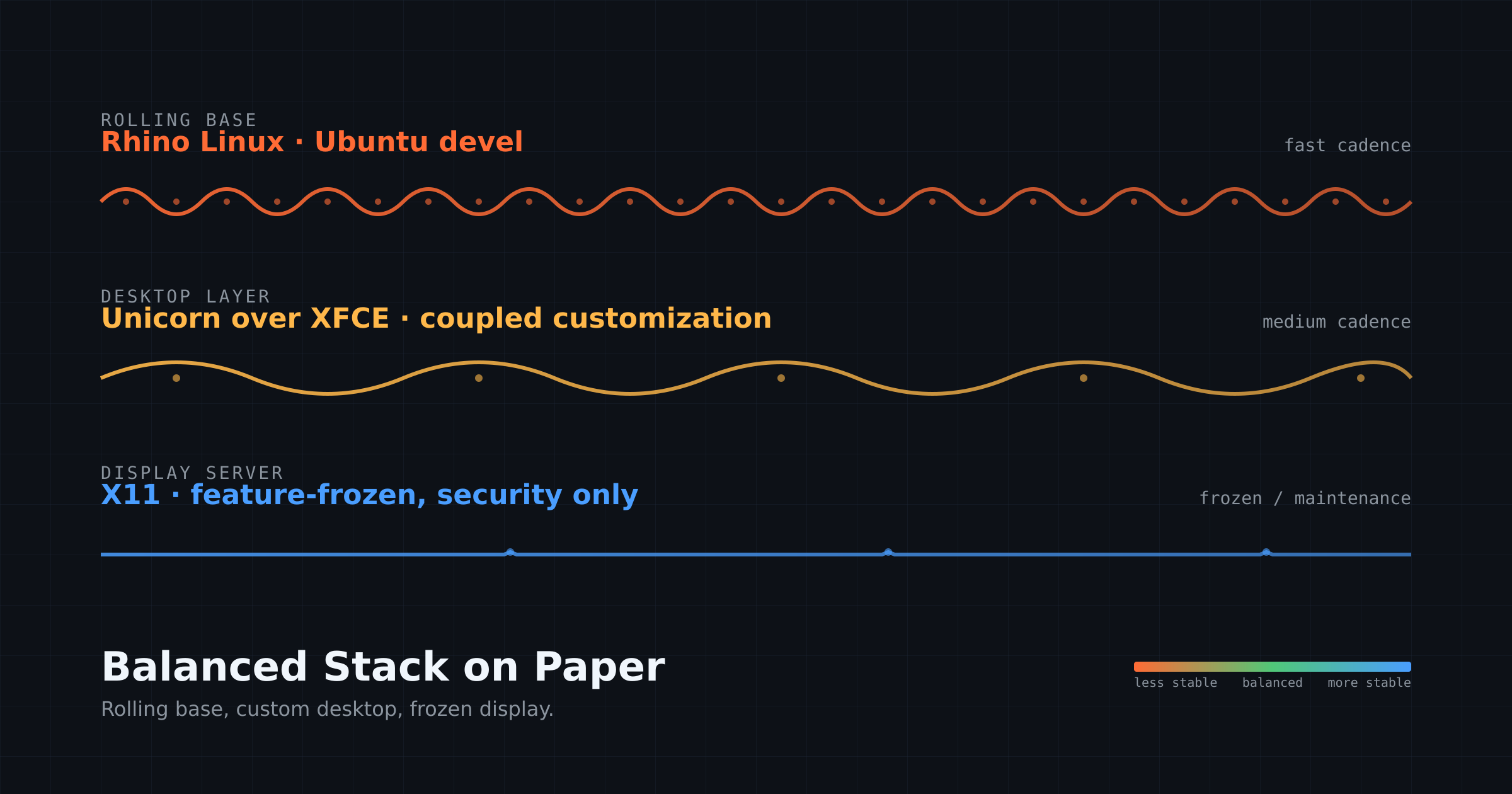
Rhino Linux is a desktop-focused distro I’ve been evaluating because of its balance.
The desktop side of my setup was still in transition. I’d been running Ubuntu 24.04 LTS with GNOME on my workstation, which was the stability detour. I wanted to migrate the desktop to something that matched my laptop’s philosophy, and Rhino Linux looks promising on paper!
Rhino is Ubuntu’s devel branch as a rolling base, with XFCE underneath their custom Unicorn desktop layer. On paper, it’s the same formula on the Ubuntu side that Kali fills on the Debian side: rolling base, XFCE-derived desktop, sensible defaults, modern look. Exactly the pairing I’ve come to trust.
A careful read of the user reviews surfaced a pattern that fails my requirements. The Unicorn customization layer isn’t cleanly separable from XFCE underneath. Multiple reviewers report problems after installing GNOME or KDE alongside it. Removing or rebinding XFCE keybindings doesn’t work as expected. The installer is unreliable, with hung setup wizards and dropped network connections during installation. Updates occasionally break boot. Basics like CUPS aren’t installed by default. The team is clearly fixing things over time, but the fundamental architectural choice, that the customization layer is tightly coupled to the desktop underneath, isn’t a bug they can fix without rethinking the project.
The contrast with Kali is the lesson. Kali stripped of its pentest meta-packages leaves you with a clean, mature, sysadmin-grade rolling Debian. The Kali-specific stuff is genuinely additive, layered cleanly on top of Debian testing, and removable without breaking anything underneath. Rhino stripped of Unicorn doesn’t leave you with anything coherent, because the project’s identity is the customization. The customization is the product.
There’s also a Wayland dimension to this. Rhino’s newer KDE Plasma 6 spin runs on Wayland by default, and Wayland is itself a fast-moving display layer. Pair it with a rolling base and a fast-moving desktop and you have three fast layers stacked on each other.
Every Wayland user I’ve talked to qualifies their endorsement with “it’s great BUT this app doesn’t work” or “BUT [insert odd behavior here].” That’s the cadence-mismatch problem expressing itself one layer deeper than usual, at the display server.
X11 is currently the boring, mature layer that lets a rolling base do its job without dragging the UI tier into instability. XFCE is the slow-moving desktop in this picture, and XFCE moving to Wayland on its own conservative schedule, well after the rough edges are worn down, is the right pace for the same reason XFCE is the right desktop.
XFCE is the Debian of desktop environments. By the time it defaults to Wayland, most of what’s painful about Wayland today will be solved. Until then, X11, plus XFCE, plus a rolling base is three layers where only one of them moves fast, and for me, that’s the right ratio.
I’m not switching to Rhino, yet. Just testing it out. For Linux desktop, I want a bleeding-edge distro with a slow and boring DE (XFCE) or WM (i3) because at this point boring UI = the workflow I’m optimizing for.
Conclusion: Cadence Matching
The win isn’t the specific distro at the end of the path. It’s about looking at any Linux setup and understand how its layers move and work together.
For me, the right setup isn’t the newest thing at every layer. It’s one fast layer where freshness matters more, paired with slower layers where predictability matters more. A rolling base gives me current packages, kernels, libraries, and tools. XFCE gives me a desktop that stays out of the way. X11 gives me a mature display layer I don’t have to think about.
That’s cadence matching!
Your version may look completely different. The point isn’t to copy any one setup. The point is to understand what each layer is doing, how fast it changes, and whether that pace matches what you want from that layer.
Some other good examples of cadence matching:
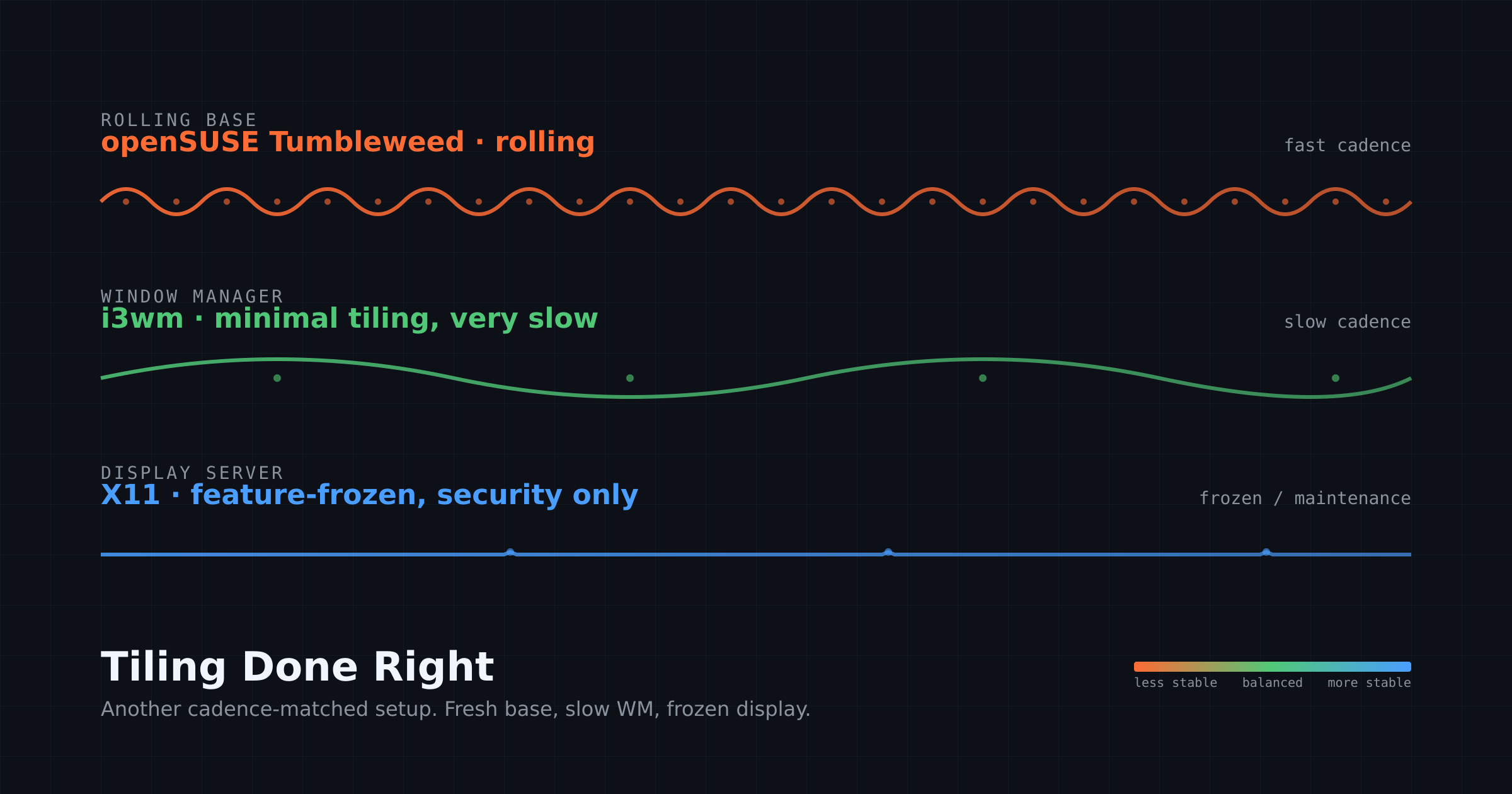
Tiling Done Right (openSUSE Tumbleweed + i3wm + X11): a bleeding-edge variation on the same cadence-matched formula. Rolling base for fresh packages, very slow window manager for predictable workflow, frozen display server for stability.
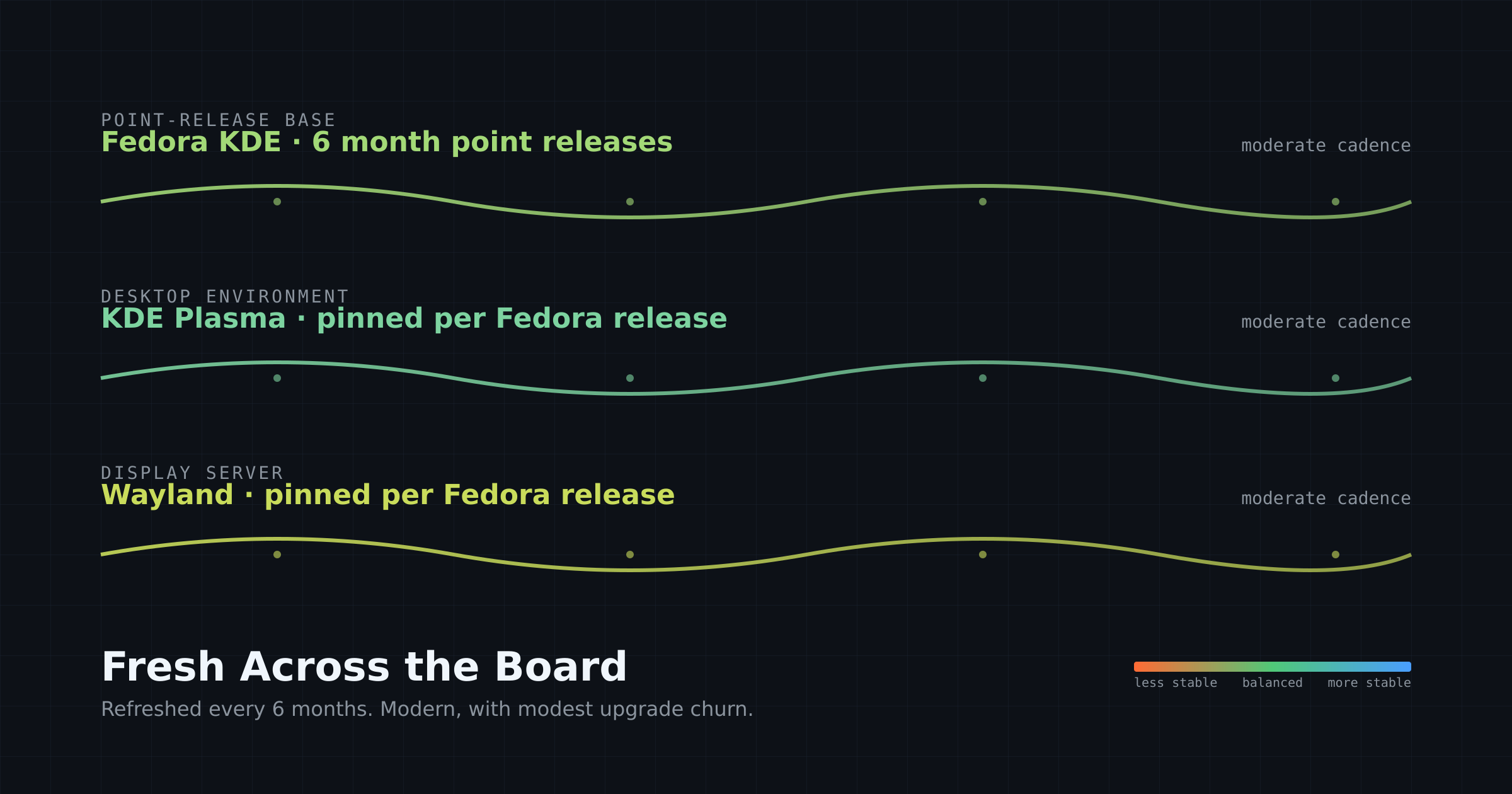
Fresh Across the Board (Fedora KDE + KDE Plasma + Wayland): a balanced middle ground. You get modern packages refreshed every six months without daily rolling churn, at the cost of meaningful upgrade work twice a year. Good fit if you want current software with predictable stability and refresh windows.
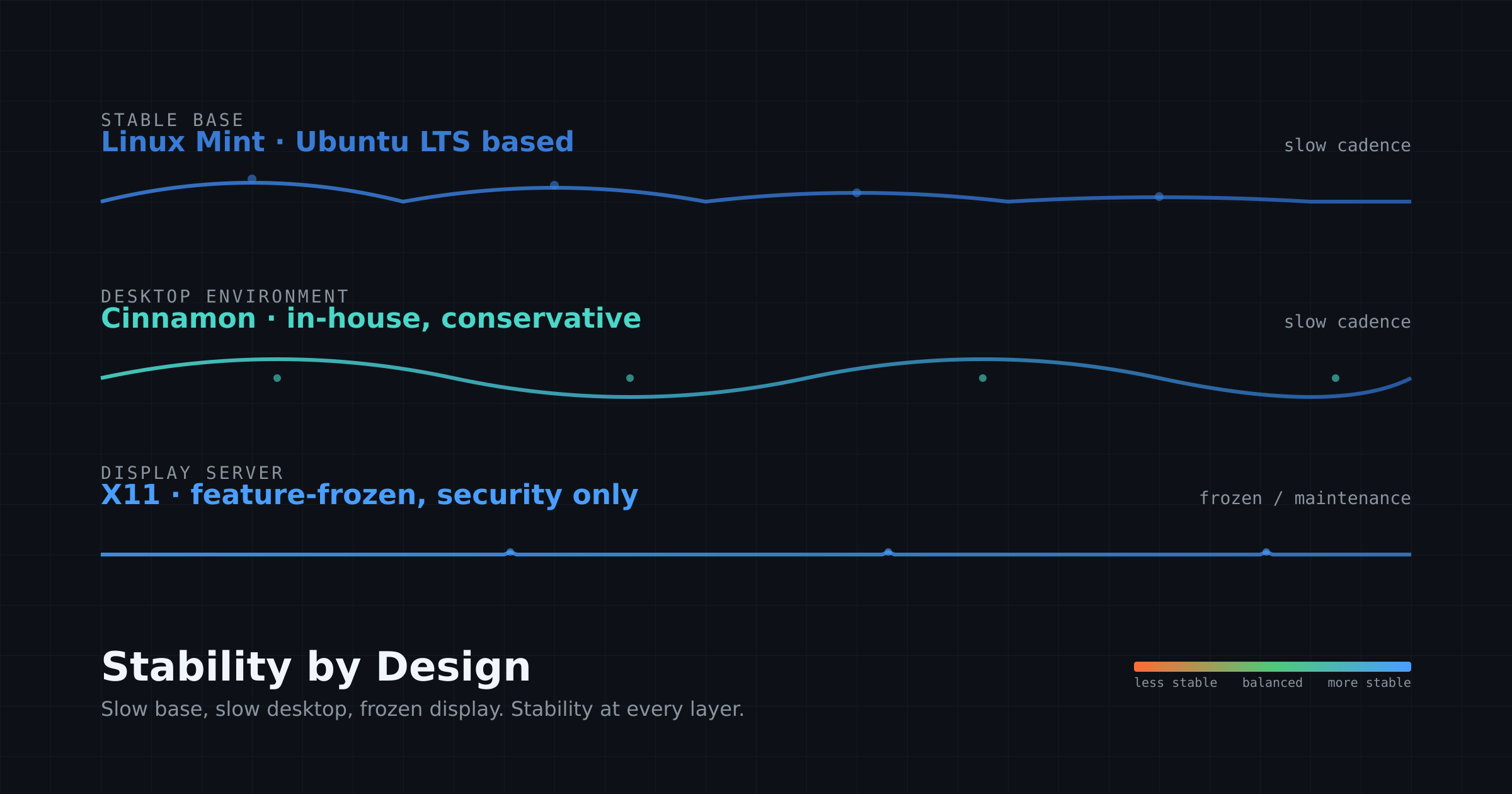
Stability by Design (Linux Mint + Cinnamon + X11): three conservative layers chosen specifically for stability. Slower-moving than rolling setups but free of the upgrade churn that comes with point releases like Fedora. Good fit if your top priority is a system that fades into the background and stays out of your way.


For me, I can say that current life allows me to explore a blend of 1) Exploration, 2) Stability, 3) Cutting Edge and 4) Testing.
Throughout my life studying and exploring various types of computing has been in my veins. Once I decided upon pursuing a career with computers after taking a field trip with my 11th grade Algebra/Trigonometry class to the General Motors Research Labs (Research And Development | General Motors), I started using a teletypewriter with an acoustic coupler on it to communicate with a minicomputer at our county’s shared “Intermediate School District” offices. Good thing my high school was a member of that district - it gave me a FREE introduction to computers, albeit a clunky one.
From that I looked for a good place with a rich Math and Science curriculum with some kind of computer related degree. Michigan Technological University was the place of choice. In 1974 a Computer Science Department did not exist but a Computer Science Major was offered by the Department of Mathematics.
I learned about programming, design, Calculus, engineering principles, numerous programming languages, structured programming, data structures, as well as participating in project teams - probably the most helpful thing I learned!
As a professional, my organization was managing the company’s communication networks, so I learned more about the Telco industry than I did to become an accomplished programmer. In fact, that really was never a strength of mine, but understanding overall architecture, system planning and design were much more in my areas of strong understanding. In fact, I had wanted to become a systems analyst.
Once I got into UNIX systems, that greatly increased my interests; I thought I’d be an auto company employee for life; instead at least that experience got me into Telco stuff and that paved my way into a much longer career with Digital Equipment (13 1/2 years) Digital Equipment Corporation.
This is where I took that Telco background and they were able to get me into a Telco Standards organization, the T1Q1 National performance standards for telecommunications services | IEEE Journals & Magazine | IEEE Xplore.
It’s also where I learned Digital operating systems - Long gone, DEC is still powering the world of computing - Ars Technica which included this: “In 1977, DEC introduced the VAX, a new line of minicomputers that featured a 32-bit instruction set architecture and virtual memory. Its operating system, VMS, was a multi-user, multitasking OS that provided features we now take for granted, including virtual memory, file sharing, and networking. It amassed a wide variety of third-party software packages that made it the most popular system in its class.”
Windows NT: " VMS=WNT
VMS was popular because DEC supported it so thoroughly. It had a user-friendly interface and powerful command-line tools, and it was one of the first operating systems to support networking protocols, including TCP/IP, DECnet, and SNA. It had a powerful file system that supported hierarchical directories and file permissions, and it was highly customizable.
In 1988, a senior VMS engineer named David Cutler joined Microsoft to lead the development of the Windows NT operating system. Windows NT was a major departure from previous Microsoft operating systems, as it was a 32-bit, multi-user, multitasking OS. Windows client, still finding its way to usability, was a 16-bit layer that ran over MS-DOS. It wasn’t really an operating system; it was more like a program launcher."
"The second piece of the puzzle is the CPU. Unless you use a Mac, your computer’s CPU has its roots in a DEC processor that failed in the market.
In the late 1980s early ’90s, DEC was looking to change with the times and evolve its VAX line. In 1992, it introduced the Alpha AXP, later shortened to just Alpha, a RISC-based processor designed to compete with the other RISC chips on the market such as Sun Microsystems SPARC and Hewlett-Packard’s PA-RISC."
“Alpha had more going for it than just 64 bits. It was faster than an Intel processor and had a more efficient instruction clock. The one thing it didn’t have going for it was software. DEC provided multiple operating systems: OpenVMS, Tru64 UNIX (previously named DEC OSF/1 AXP and Digital UNIX), and, for a very short period, Windows NT.”
I’ve used ALL of these operating systems, including the other operating systems the competition was using while I was at Digital (referenced in the citation, which I also used for the direct quotations).
I got into testing cutting edge stuff in the Digital Equipment ULTRIX and Digital UNIX operating systems because I had direct access to Nightly Builds, most prominently when I worked on the UNIX team, but even in the era in the Telco Systems Engineering Group I was in frequent conversations and meetings with Advanced Development organizations, so that’s where testing and bleeding edge come into the conversation for me.
As a retiree now, I’ve since worked, levering these skills, as a team coordinator for testing services and back to a test engineer before retiring.
I don’t remember everything, but I have a lot of perspectives to offer on a wide variety of general hardware and software, but legacy stuff and general information is where I can be of most value at this point.
What a fantastic perspective to share, thank you. Your career covers ground that almost nobody writing about Linux today actually lived through. The teletype-and-acoustic-coupler era through DEC’s whole arc is the foundation a lot of us inherited without realizing it.
What stood out to me:
The MTU Computer Science major living inside the Math department in 1974 is a perfect detail. That’s the moment when the discipline was still figuring out what it even was. People who came up through that era understood computing as applied mathematics in a way the later CS-as-its-own-thing generations sometimes miss.
NT inheriting VMS DNA is one of those facts that quietly explains a lot about why Windows server stuff felt the way it did for decades.
What I take from your comment is that the explore/stability/cutting-edge/testing blend isn’t just a Linux desktop thing. It’s a way of working in computing that some people grow into over decades, across hardware and OS shifts.
Thank you for taking the time to share this.
Yes; I had to think about it a bit because as you say, it was just a way of doing things that I had become accustomed to over a long period of time in the development work I was involved in.
Wow, that’s a really long article. Unfortunately, English isn’t my first language, so I’ll read it in several parts.
Hayden, after rereading your article about Cadence Matching, I guess that my main system has Cadence Matching present too.
For one thing, my antiX 23.2 Full Runit configuration is extremely stable. It has a window manager instead of a desktop environment; if anything, it changes even less often than Xfce; it is modest, offers just what I want and it is extremely stable. The Window Manager that I use, IceWM, has been around longer than Xfce; in fact it was around quite a while before Xfce switched to using Gtk+ for the libraries that provide the desktop; I think the original Xfce used something like Xforms - back before the GNOME project matured.
It also uses Bookworm, which only changes today when there are security updates; I call that STABLE.
To scratch that occasional itch I have multiple operating systems; I boot more than one distribution on all but one of my Linux setups; the one that’s by itself is the newest release of antiX Version 26, but it has a mature cadence too, with that same IceWM, rock solid tools, and just enough stuff to fool around with to keep things interesting but rarely rocking the boat and never leading to something that won’t boot or let me work; even in that case, I have my solid collection of Flash Drives that can be used to reinstall a working version of my system OR replace it with one of the other solid configurations I keep available.
That’s not quite your approach, but like yours, it gives me something absolutely trustworthy and with my USB Flash Drives, I always make sure to have several recently updated instances to SAVE me from any unplanned disaster.
I’ve created a few disasters by either intentionally or accidentally installing the wrong thing. I’ve been able to either save them or replace them and my “disasters” only cost some of my spare time; I’ve always had extra systems available to cover any “lame brained” mistakes; that has also been a part of the master plan, and it’s worked out well even in the middle of a disaster.
I couldn’t keep everything up when we had a tropical storm remnant from a hurricane dump rain, wind, knock down trees and lose power; I just turned everything off, it was all safe, and when power returned, I had no issues, but the preparations, back ups, etc. matched the idea of Cadence Matching, hardware and software backup (for the hardware and the software); the real life situations more than once proves that the approach does work - very well at that!