Ubuntu 22.04: Install Gnome Extensions Manager (Workaround)
Gnome Shell delivers core user interface functions for Gnome, such as switching windows and launching apps. Some of the interface elements provided by Gnome Shell include the top panel, activities overview, and notifications.
Gnome Shell extensions, commonly referred to as Gnome extensions, are custom code extensions written by third-party developers that modify core UI functions and elements. You can find and install Gnome extensions using this website and the Gnome extension for Firefox or Chrome.
Since extensions are created outside of standard Gnome, they are supported by the 3rd party authors, rather than by Gnome’s developers.
Managing Gnome Extensions in Ubuntu 22.04
You can no longer install Gnome Extensions via Firefox in Ubuntu 22.04. Ubuntu’s developers changed the Firefox browser to a Snap version. However, the Snap version of Firefox and Gnome Shell extensions are no longer compatible.
You can still use gnome extensions with Google Chrome. However, a better solution for managing Gnome extensions is the Gnome Extension Manager app – a native tool for browsing, installing, and managing Gnome Extensions.
To install the Extension Manager app on Gnome, use the following command from terminal (or install via Github):
sudo apt install gnome-shell-extension-manager
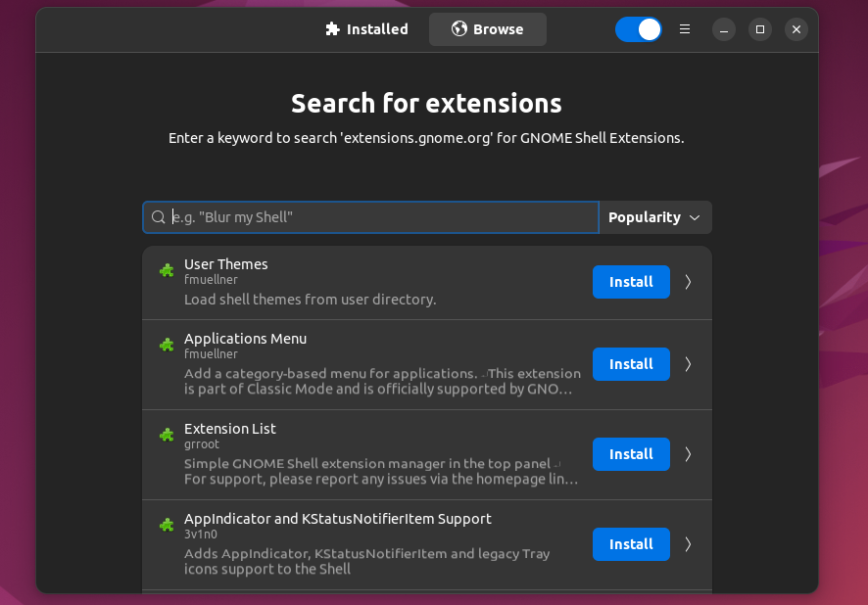
Then, look for and launch the Extensions Manager app:

You will now be able to browse, install, and manage Gnome Extensions without needing to do so using Firefox or Chrome. Gnome Extension Manager supports browsing and searching extensions from extensions.gnome.org, installation and removal, enabling and disabling, updating in-app, screenshots & images and ratings & comments:
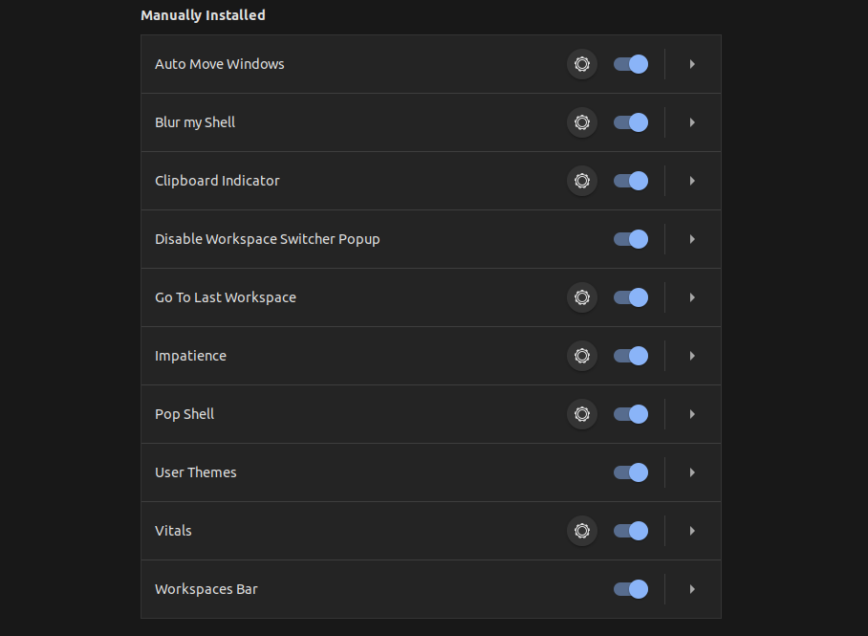
Here are my currently installed extensions before upgrading to Ubuntu 22.04:
Although there are a lot of new and exciting features shipped with Ubuntu 22.04. I’ll wait about 3 to 6 months before upgrading Ubuntu on my laptop. This is to allow some time for 22.04 LTS to settle and any early bugs and incompatibilities found, fixed, or have reasonable workarounds. How are you enjoying Ubuntu 22.04? What is your favorite Linux distro? Any challenges? Let me know.


The extension manager is so much easier. Thanks!