ls command in Linux, with examples
This is a follow up of my previous 90 Linux Commands frequently used by Linux Sysadmins article. Every week, as time allows, I will publish articles on the ~ 90 commands geared toward Linux sysadmins and Linux power users. Let’s begin with the ls command.
Ls (short for list) is used on Linux and other Unix-like operating systems to list information about files. When invoked without any arguments, ls will list files in the current working directory. Ls is one of the most commonly used commands.
The ls command originally appeared in the first version of AT&T UNIX, the name inherited from a similar command in Multics also named ‘ls’. ls is part of the X/Open Portability Guide since issue 2 of 1987. It was inherited into the first version of POSIX.1 and the Single Unix Specification.
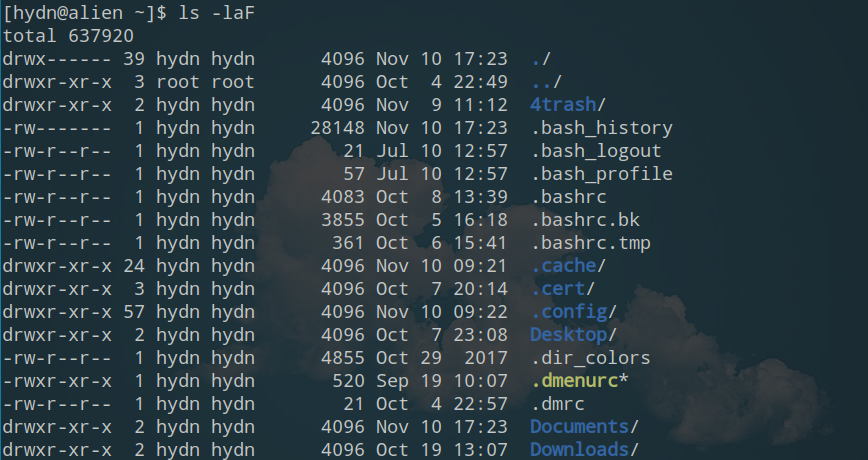
ls -laF = long format list of all files with types.
ls command examples
To show a long format list of files (permissions, ownership, size, and modification date), use:
ls -l [path]
List all files, including important dotfiles (hidden files), use:
ls -a [path]
Show file types (“/” = directory, “*” = executable), use:
ls -F [path]
Combine these arguments for a long format list of all files with types, use:
ls -laF [path]
List files from multiple paths, use:
ls [path_1] [path_2]
To show recursive listing, use:
ls -R [path]
To show listing in one screen full at a time, use:
ls [path] | less
To show long format list with size displayed using human-readable units (KB, MB, GB), use:
ls -lh [path]
To show long format list sorted by size (descending), use:
ls -lS [path]
To show long format list of all files, sorted by modification date (oldest first):
ls -ltr [path]
ls command useful reading:
ls command alternatives and related commands:
- dir – list directory contents.
- find – Find files or directories under the given directory tree, recursively.
- echo – Print given arguments.
- printf – Format and print text.